Experimental AI Features
Gitember includes two opt-in AI features powered by a locally-running language model via Ollama. No data is sent to any cloud service — all inference runs on your own machine.
These features are under active development. Results depend on the model you choose and may occasionally produce false positives or incomplete output.
Requirements
Both features share the same prerequisite: Ollama must be installed and a model must be available locally.
When you enable either feature in Settings for the first time, Gitember detects whether Ollama is present and offers to download and install it automatically if it is not.
Configure the Ollama URL and model name in File → Settings → AI.
Secret Leak Detection
Gitember scans staged files for hardcoded secrets, credentials, and other sensitive data before each commit, giving you a chance to remove them before they enter history.
Enabling
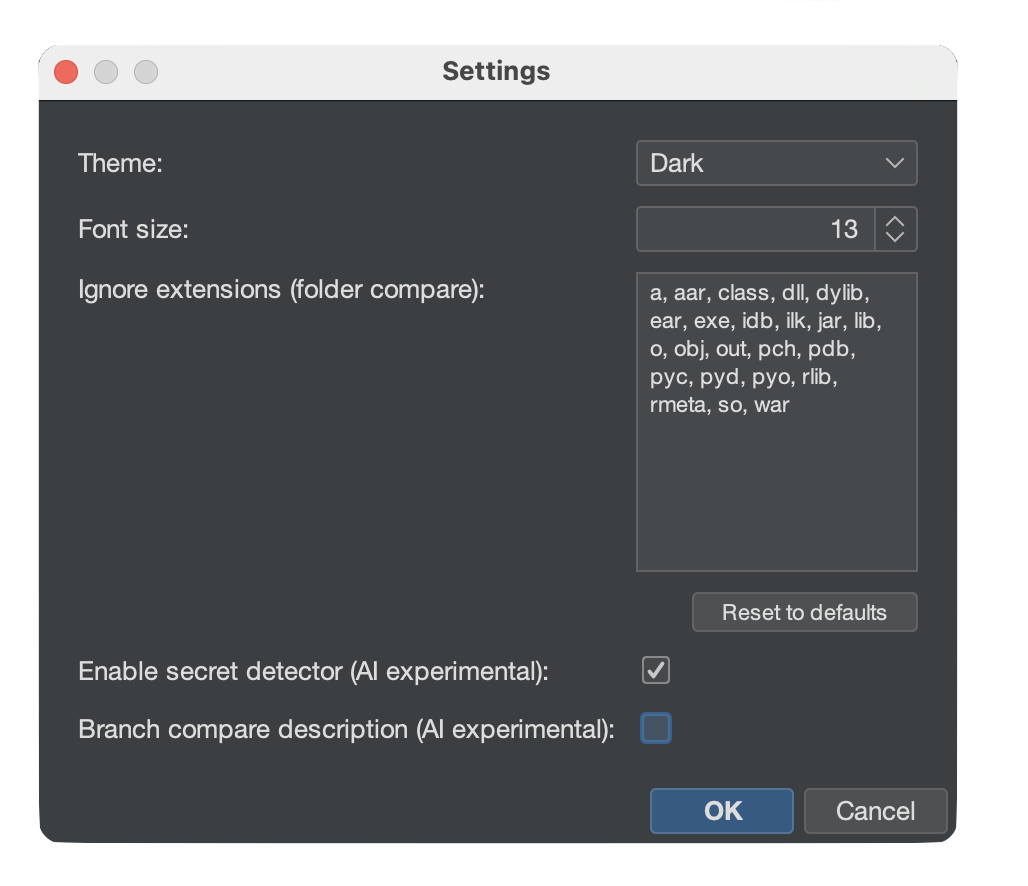
- Open File → Settings.
- Check Enable secret detector (AI experimental).
- Click OK.
How It Works
When you open the Commit dialog, the detector scans every staged file and reports any suspicious findings in a panel above the commit message field.
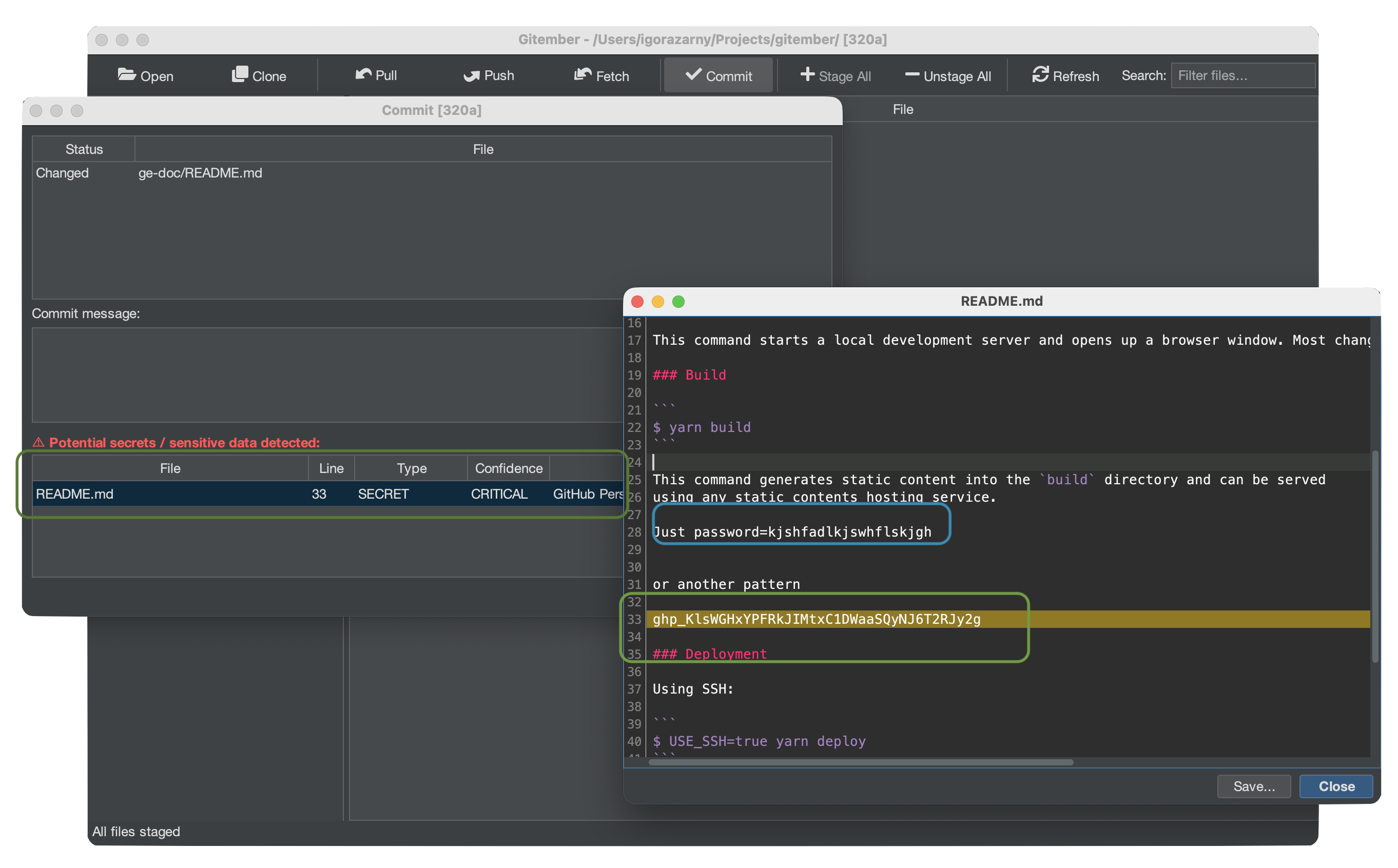
Each finding shows:
| Field | Description |
|---|---|
| File | Source file that contains the finding. |
| Line | Line number of the suspicious value. |
| Type | Category: SECRET, TOKEN, API_KEY, PASSWORD, CREDENTIAL, CONNECTION_STRING. |
| Confidence | CRITICAL, HIGH, MEDIUM, or LOW. |
| Description | Short explanation of why the value was flagged. |
| Matched value | Partially redacted preview (first 4 characters + ***). |
Only CRITICAL confidence findings block your attention by default — lower-confidence results are still shown but do not prevent committing.
What Is Detected
The scanner flags values that match at least one of the following:
- A hardcoded string assigned to a variable with a sensitive name
(
password,secret,token,api_key,client_secret, …) - A connection string with embedded credentials (
user:pass@,password=,pwd=) - Private key or certificate material (
BEGIN PRIVATE KEY, …) - OAuth client secrets or bearer tokens in explicit assignments
- High-entropy strings (length ≥ 20, mixed characters) in assignments or HTTP headers
What Is Not Detected
Placeholders, test values, environment variable references, UUIDs, and short strings are intentionally ignored to keep the false-positive rate low.
AI Branch Difference Description
When comparing two branches, Gitember can ask the local LLM to produce a plain-English summary of what changed — useful for code reviews and release notes.
Enabling
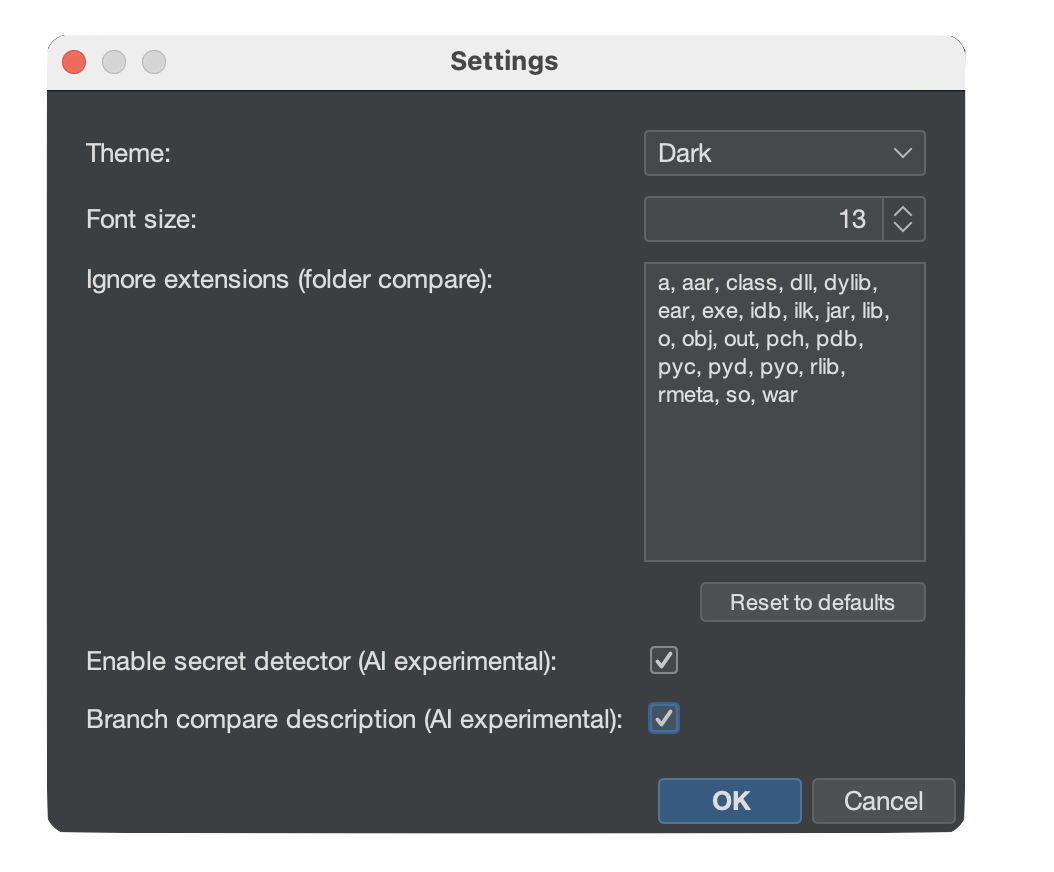
- Open File → Settings.
- Check Branch compare description (AI experimental).
- Click OK.
How It Works
Open the Branch Diff view (Repository → Compare Branches… or via the branch context menu). Once the diff is loaded, click the Describe with AI button.
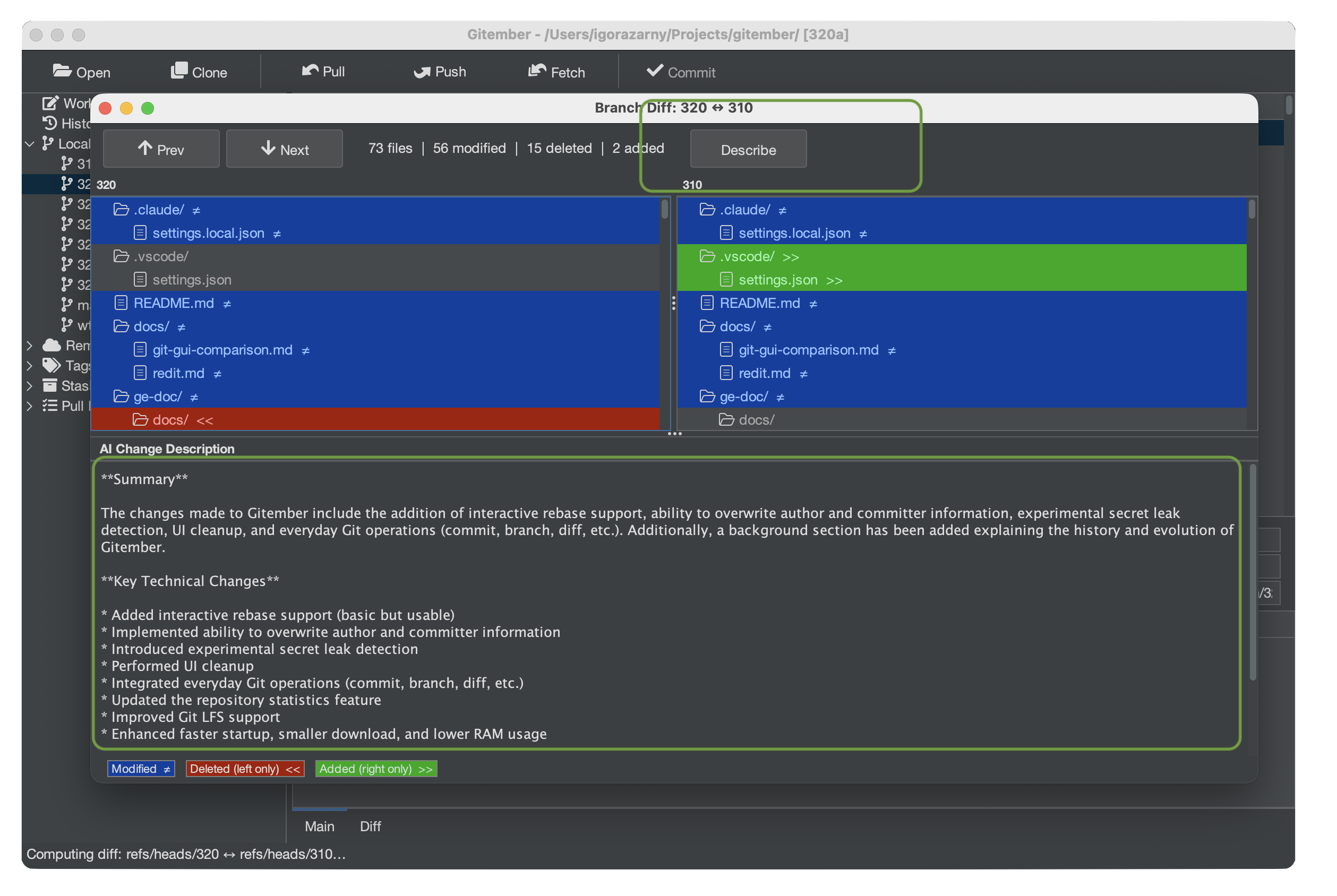
Gitember sends the unified diff (up to ~12 000 characters) to the local Ollama model and displays the result in a panel below the diff, structured as:
- Summary — 2–4 sentences describing what changed at a high level and why.
- Key technical changes — bullet list of important logic, API, data-model, configuration, or dependency changes (up to 10 items).
- Potential impact — breaking changes, performance notes, security considerations, or migration steps (omitted when there is no notable impact).
Large diffs are automatically truncated before being sent to avoid exceeding the model's context window.
Choosing an Ollama Model
The quality and speed of AI features depends on the model. Recommended starting points:
| Model | Size | Notes |
|---|---|---|
llama3.2 | ~2 GB | Good balance of quality and speed on most hardware. Default |
mistral | ~4 GB | Strong reasoning; better for complex diffs. Planned |
phi3 | ~2 GB | Lightweight; fast on CPU-only machines. Planned |
Run ollama pull <model-name> in a terminal to download a model, then set the model
name in File → Settings → AI.